
1. Switch the Store on
Open your server in the Console and go to "Store". On the "Store add-on" card press "Add the Store" and pay the monthly subscription with PayPal. The add-on is per server, and only the server owner can add it. It turns on as soon as PayPal confirms the payment. If a PayPal payment for the add-on fails, the Store switches off at once, and it switches back on by itself as soon as a payment goes through.
The Store needs a paid Standard, Pro or Community plan; it cannot be used during a trial. Standard sells the "Priority queue" only (the add-on also gives Standard reserved slots). Pro and Community also sell "Clan tag" and "Tag colour".

2. Connect PayPal or Stripe
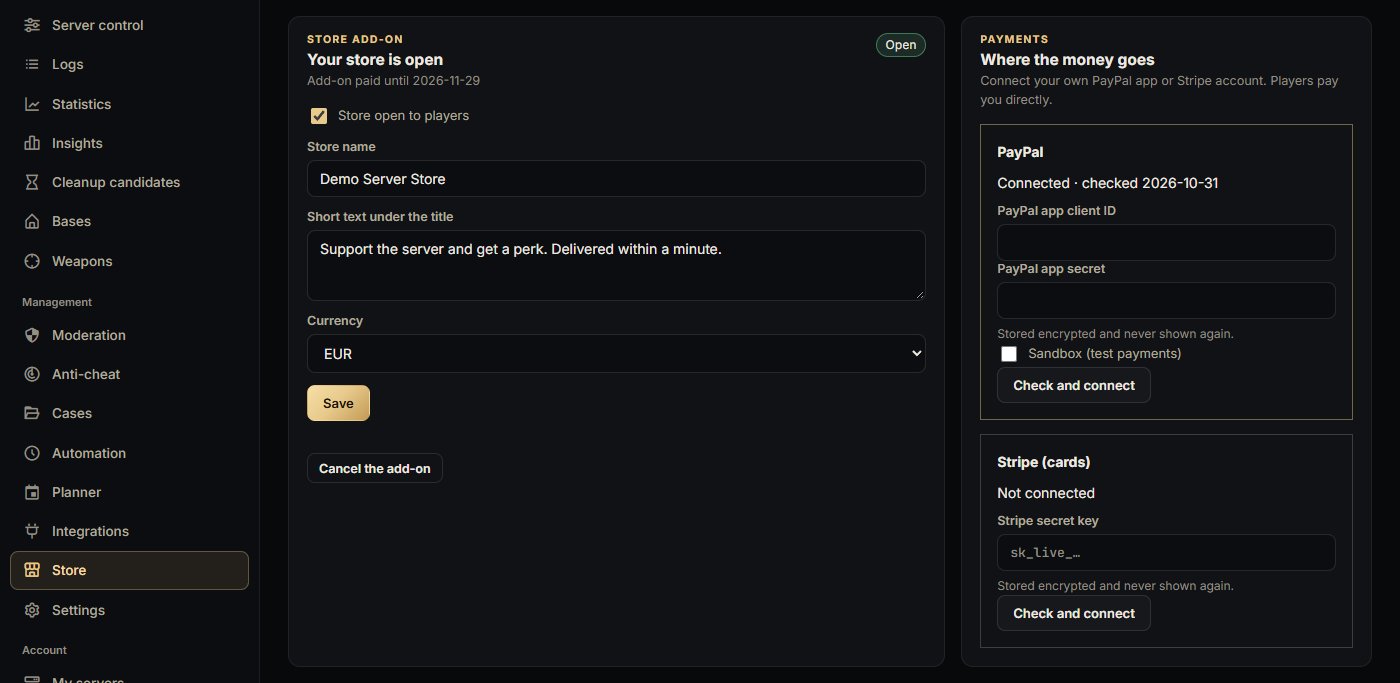
On the "Where the money goes" card, connect the account that receives the money. PayPal: create a REST app in your PayPal developer dashboard and paste its "PayPal app client ID" and "PayPal app secret" (tick "Sandbox (test payments)" only to test first). Stripe: paste your "Stripe secret key" (sk_live_, sk_test_ or a restricted rk_ key).
Press "Check and connect". PayPal or Stripe checks the keys first. No webhook is needed. The keys are stored encrypted and never shown again. Only one account is used at a time: the last one you connect.
3. Open the store
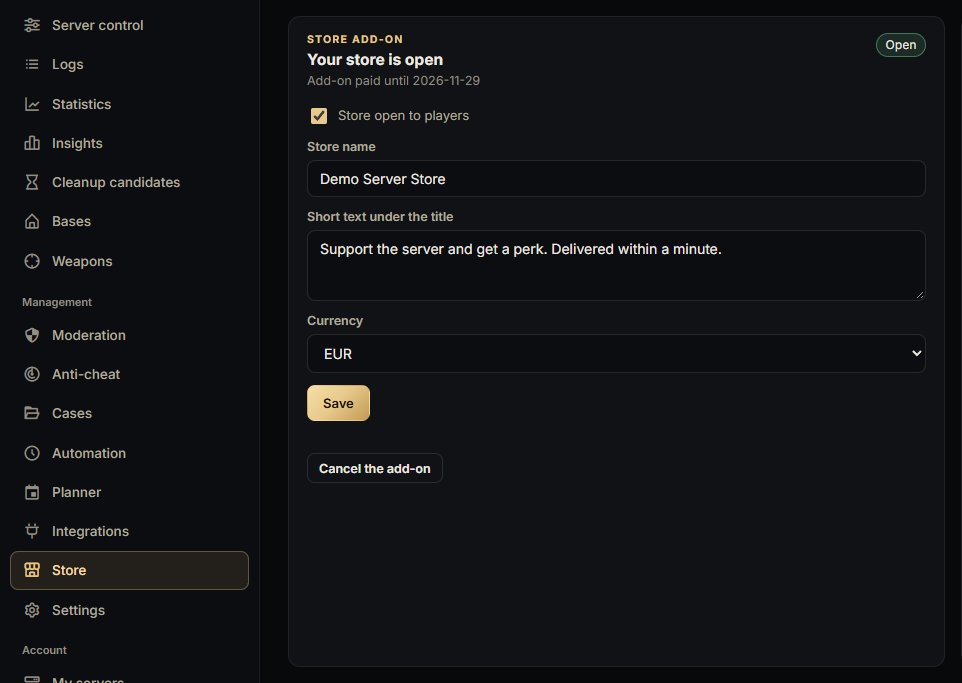
Tick "Store open to players", fill in the "Store name", the "Short text under the title" and the "Currency" (EUR, USD or GBP), and press "Save".
Players can buy only while the store is switched on, PayPal or Stripe is connected, the add-on is paid and your plan allows it.
4. Add products
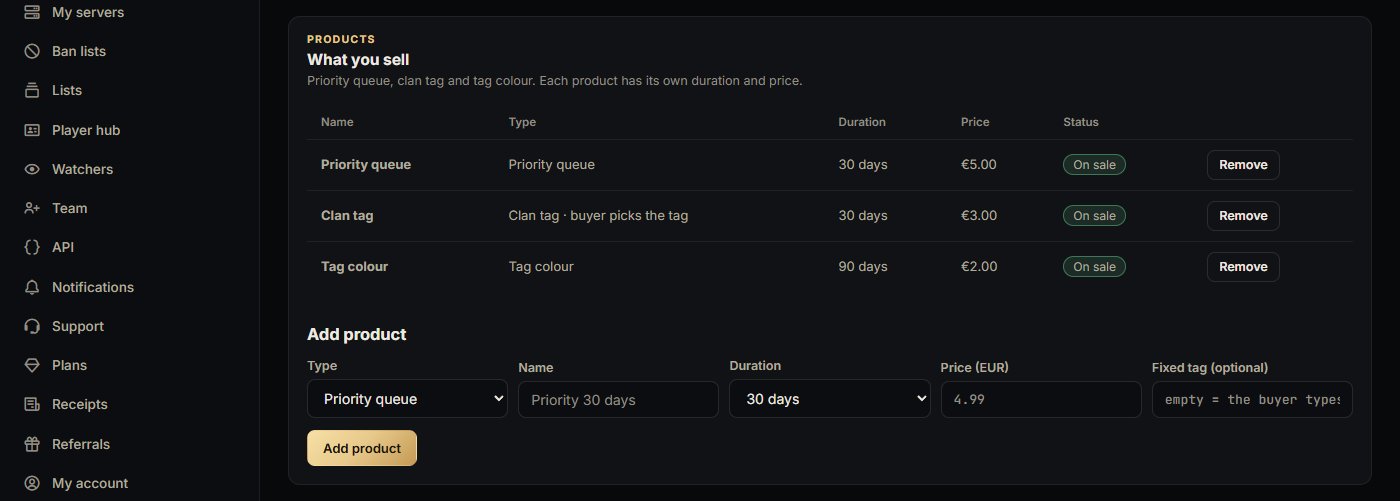
On the "What you sell" card, under "Add product": pick the type ("Priority queue", "Clan tag" or "Tag colour"), a name, the duration (7, 30 or 90 days, or lifetime) and the price (1 to 1000 in your store currency). For a clan tag you can set a "Fixed tag (optional)"; leave it empty to let the buyer type their own. You can have up to 20 products.
"TB premium" (Pro and Community): sell TheModBase premium days for "All TB mods" or for one mod: Dynamic Trader, Car Dealer, Second Hand Market, Death Insurance, Daily Reward, Revive Player. Durations are 7, 30 or 90 days, or lifetime (3650 days, the most TheModBase takes at once). Bought days add up in TheModBase and run out by themselves; a refund, chargeback or dispute takes back the days that are still to come. With agent 0.20.0 or newer the days land at once. Older agents (0.8.0 or newer) need TheModBase's premium API switched on ("enableAPI": 1 in TBMods/Config/Global/PremiumConfig.json) and take a few minutes.
TB premium can also be sold for any number of days from 1 to 999.
LB killfeed colour (Pro and Community, LBmaster Killfeed, agent 0.20.0): the buyer picks a colour for their name in the killfeed. It shows after the next server restart and is removed when it runs out or is refunded.
LB skin access (Pro and Community, LBmaster Skin System, agent 0.20.0): choose a skin group for the product with the button that reads the groups from your server; they come from your server's LBmaster Skin System config. Access ends when the order runs out or is refunded.
Cosmetic clothing packs (every Store plan): up to 10 clothing items, given while the player is online; a buyer who is offline gets them on the next join. Armour, vests, helmets, bags, holsters, gas masks, ghillies and night vision are never allowed. A pack is bought once; a refund is noted and you are told.
Thank buyers in game (optional): after a delivery the server shows a thank-you to everyone, with {player} and {perk} in your own text, at most once a minute.
Sell only cosmetic perks and reserved slots, with Bohemia Interactive's monetization approval and the mod authors' permission. The Store shows this notice to every owner.
The status shows "On sale", "Hidden", "Needs Pro" or "Needs agent 0.19.0". To change a product, remove it and add it again; perks that were already sold keep running.
Important: the priority queue only helps when the server has reserved slots. Set them in "Moderation" › "Access" › "Reserved slots".
5. Share your store page
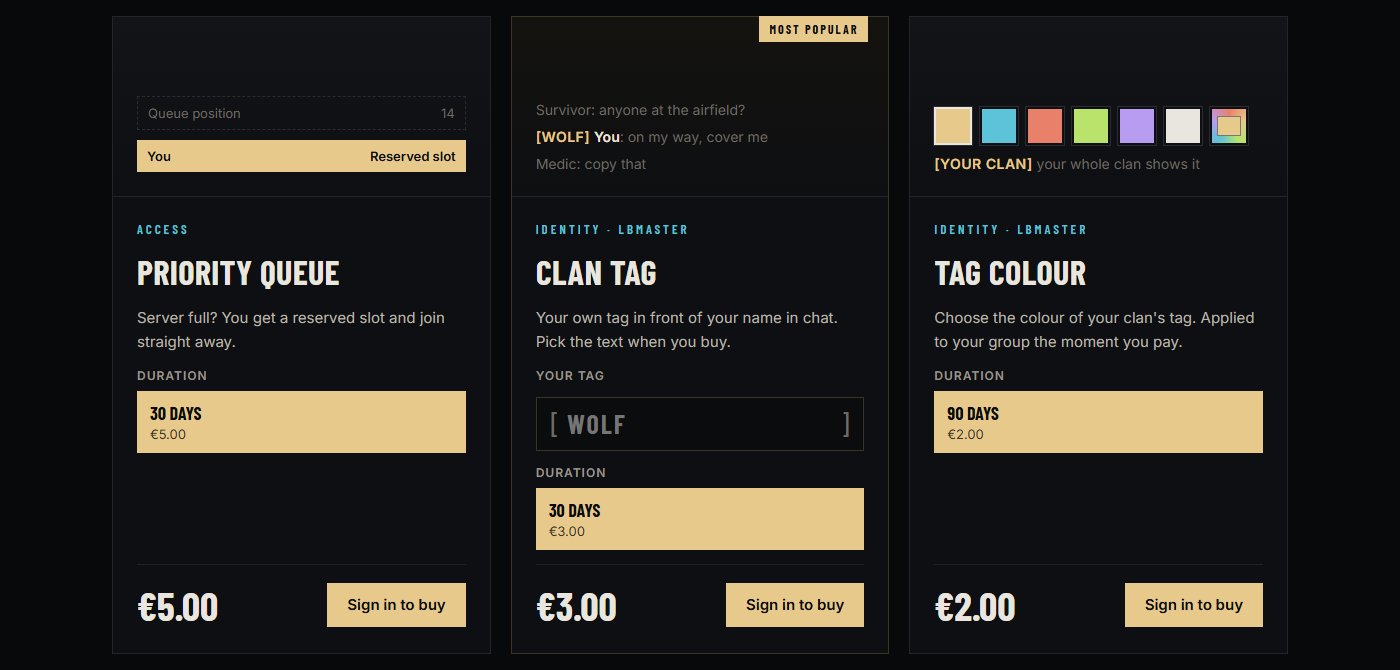
Press "Open store page" at the top of the "Store" page. The address is dayzhub.cloud/console/player/store/ followed by your server's ID: share it with your players, for example in your Discord.
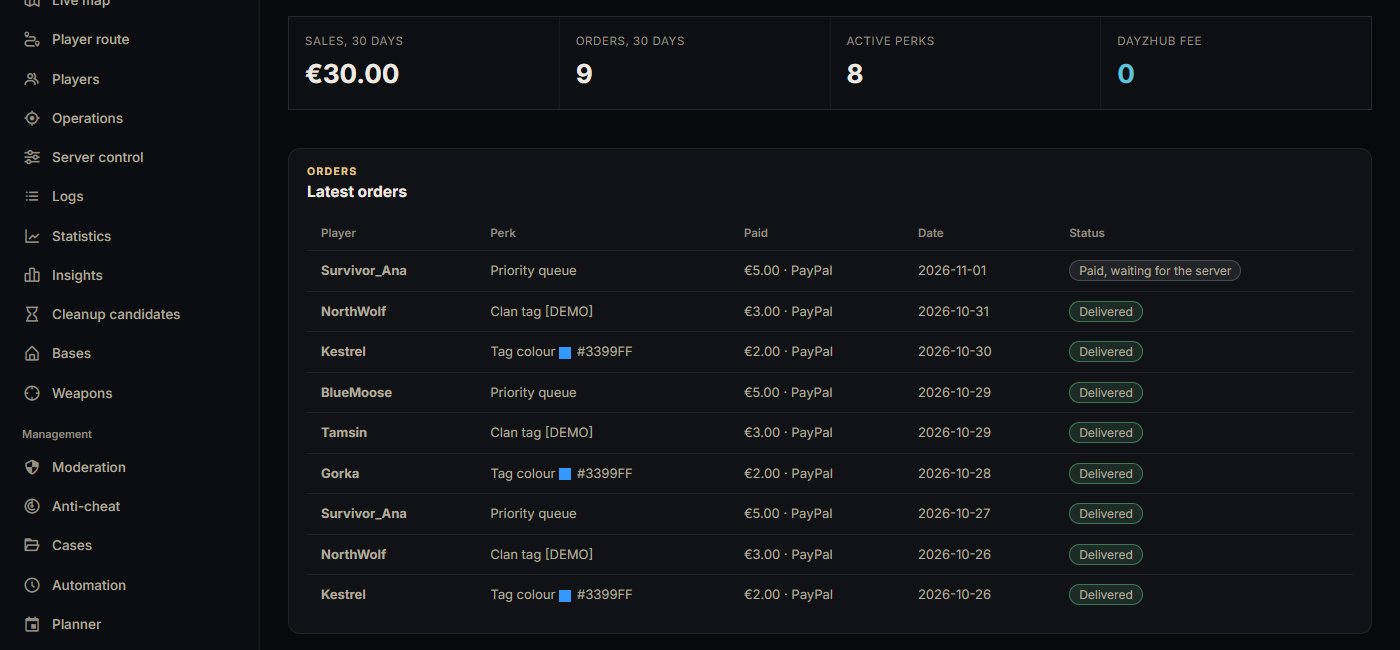
Players press "Sign in to buy", sign in with Steam, pick a duration (and type their tag or pick a colour) and pay at your own PayPal or Stripe checkout. The perk is applied as soon as the server is online, usually within a minute. If the server is offline the order shows "Paid, waiting for the server" and is tried again every minute.
Sales and refunds
The "Store" page shows "Sales, 30 days", "Orders, 30 days", "Active perks" and the "Latest orders" with their status: "Started", "Paid, waiting for the server", "Delivered", "Ended", "Refunded" or "Failed". Checkouts that were never paid are dropped after 2 days.
You are the seller: refunds are made from your own PayPal or Stripe account. A full refund or a chargeback removes the perk by itself and the order shows "Refunded"; a partial refund keeps the perk. A payment PayPal has not cleared yet (a bank payment or eCheck) delivers the perk only once it clears.
Cancel the add-on
Press "Cancel the add-on" and confirm. The store stays open until the end of the month you already paid for, then it closes. Clan tags and tag colours that were already sold keep running until their own end date. On Standard, reserved slots and priority end together with the add-on.
When something does not work
"Needs agent 0.19.0": update the DayzHUB Console Agent mod on your server. Clan tags and tag colours need LBmaster Advanced Groups, and clan tags also need the LBmaster chat switched on. A tag colour needs the buyer to be in an LBmaster group, and it changes the colour of the whole group.
A clan tag can use letters, digits, spaces and ( ) | . _ - (no square brackets).